

Revit Family Manager
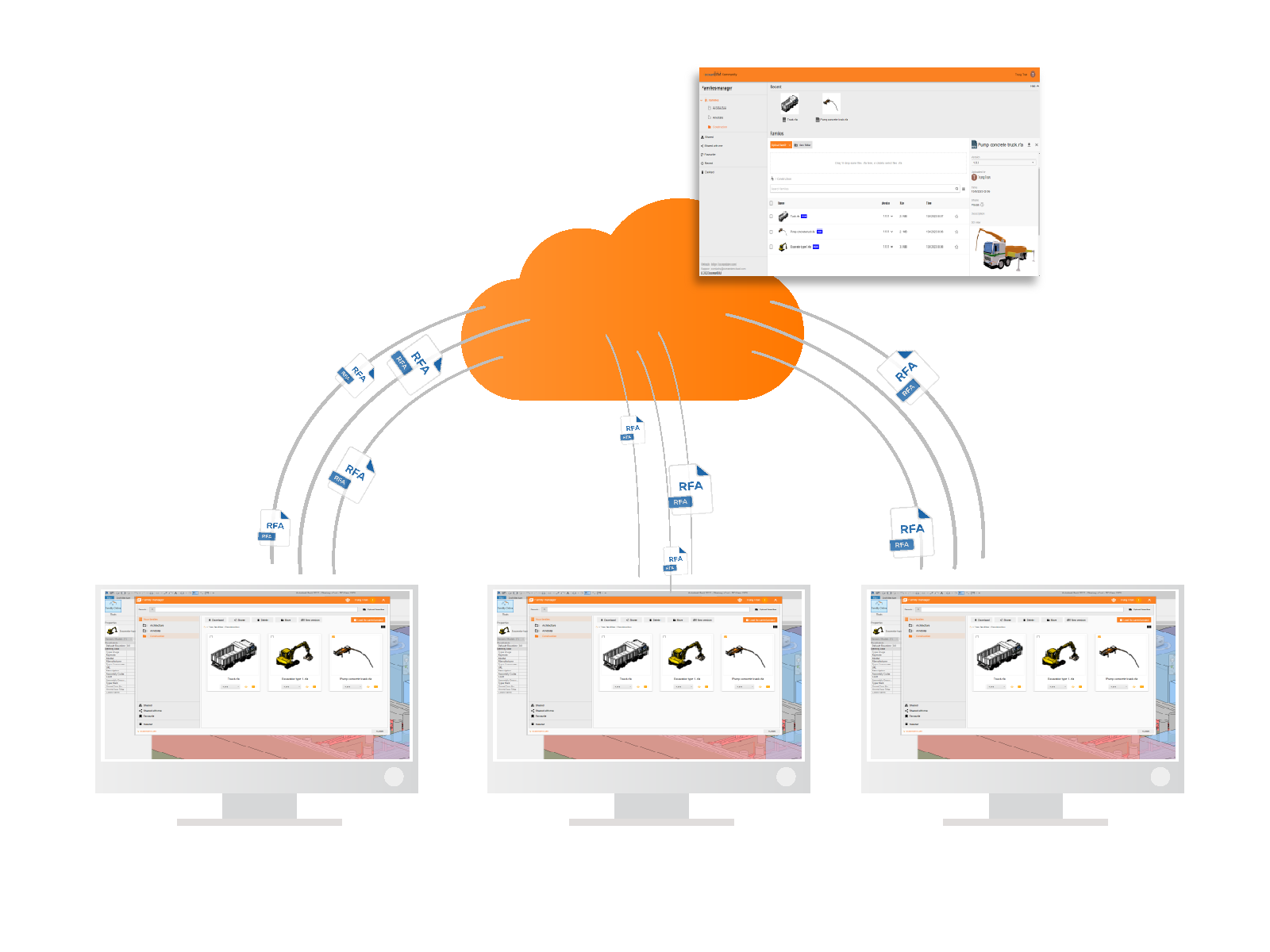
When working on Revit projects, managing families can be quite challenging for individuals or teams. Recognizing the importance of saving time and effort in family management, we are excited to introduce the first release version of the Revit Family Manager. This innovative tool allows you to connect seamlessly between your local computer and cloud-based services, enabling more efficient family management. Let's explore how it works in this blog post.

Have you ever?
- Found yourself with numerous family files scattered throughout your computer, struggling to recall where you stored them?
- Felt overwhelmed when attempting to locate the most up-to-date family file when it’s urgently needed?
- Wasted valuable time redoing work on families that were previously updated, but you couldn’t locate them?
- Desired to incorporate all the families from a previous project into your current work, but hesitated due to the large file size and the need for extensive cleanup?
- Wished to collaborate with your colleagues by sharing your valuable family files?
We are thrilled to introduce a free family management solution that can effectively address your challenges
- Initiating the installation as a Revit plugin is a straightforward process.
- Easily upload and efficiently manage your families on the cloud, either through your web browser or directly within Revit.
- Enjoy the flexibility of access from anywhere, enabling seamless collaboration.
- Efficiently manage family versions to prevent duplicates and streamline your workflow.
- Easily locate the family you need through a convenient search feature.
- Simplify the process of transferring families between projects by utilizing family templates.
- Foster collaboration by sharing your families with other users.
- Mark your favorite families for quick retrieval when you return later.
Let's get started
By following these straightforward steps below, you can effectively manage your families for free.
1. Register new account
*** If you already have an account, please ignore this step
Visit https://familymanager.oceanbimcloud.com/auth/sign-up to create your new account.
*** If you haven’t received the email confirmation, it’s possible that these emails might have been routed to your Spam Folder. Please take a moment to review your spam mailbox
2. Install the Revit add-in
Open the add-in download page https://familymanager.oceanbimcloud.com/public/releases, then download and install the Revit add-in on your local computer.
*** The add-in supports Autodesk Revit 2022 to 2027.
3. Enjoy it!
The web app supports various functions, including uploading, downloading, and creating new templates.
We welcome your comments and ideas to enhance the functionality of the Family Manager. Your feedback is invaluable in helping us make improvements for the future. Please don’t hesitate to reach out to us at contact@oceanbim.com.
oceanBIM | About Us
We, oceanBIM, are an experienced civil engineering detail drawing design office with many years in this field. Providing high quality formwork and rebar drawing services for your project. We can answer the above questions as well as meet the requirements of each customer. We are always proud of our professionalism and dedication to our clients.
If you need formwork or rebar detail drawings, mail us at contact@oceanbim.com or learn more about us.
The reason you should get in touch with us:
- Trusted by many clients from all over the world (Germany, Switzerland, France, Australia, etc).
- Have many years of experience working on Formwork and Rebar for many projects before.
- Fully support customers for long-term projects with the best customer service.
- Best price offer and competitive.
- Licensed software.
- The simple payment process and contract.
- Good communication channel and management system.
For any information, please contact:
Email: contact@oceanbim.com