
Tags
Label families and folders with tags, and manage your own tags and tag groups.
Work in progress
A tag is a label you put on a family or a folder, for example a status such as Ready or In Review, or a label of your own such as Fire rated. Folders organize a library into one hierarchy. Tags cut across it: families from different folders can carry the same tag.
Tag groups and kinds
Tags are organized into groups. Today your library has one group, Labels, for families and another for folders; the Tags settings page shows them as the Families and Folders tabs.
There are two kinds of tag in a group:
| Kind | Who it belongs to |
|---|---|
| System tags | Provided by the platform and the same for everyone: Draft, In Progress, Ready, In Review, Archived and Favourite. |
| Custom tags | Yours. They exist only in your own library. |
Manage your tags
Open Settings, Family, Tags.
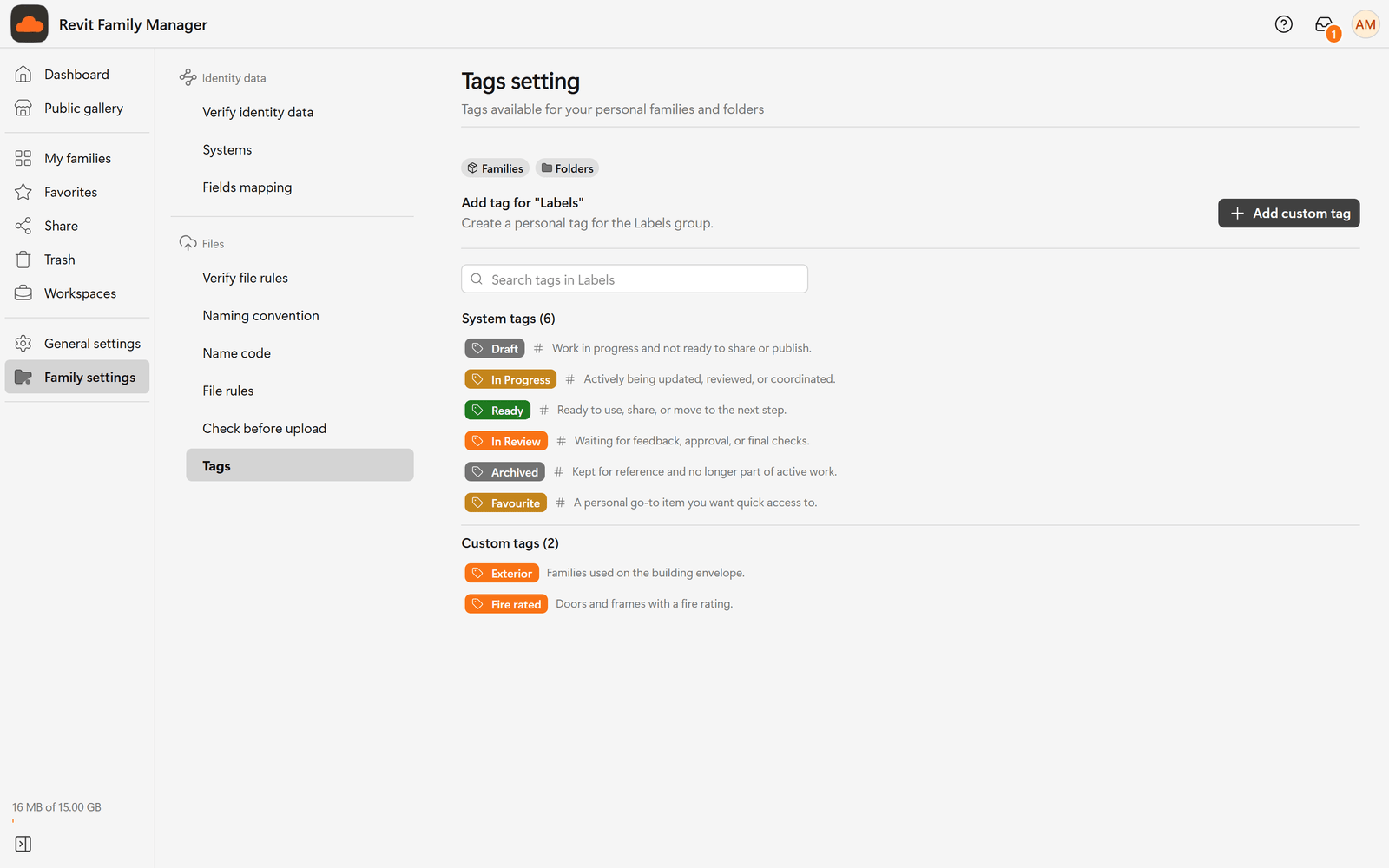
- Choose a tab to see its tags.
- Use the search box (Search tags in the group) to find one.
- Choose Add custom tag to create a tag. Give it a name and, if you like, a short description of when to use it.
- Edit a tag to change its name, color or description.
- Delete tag removes a custom tag from your tag list and from the families and folders that carry it. Nothing is lost: choose Restore tag to bring it back, already on the same families and folders.
Not every group allows custom tags. If a group does not, the Add custom tag button is not shown for it.
Tag a family or a folder
In My families, each row has a tag button: Add tag when it has none, or Tag: and the tag's name when it has one. You can also choose Tags in the row's ⋯ menu.
Pick a tag and choose Save. In your own library a family or a folder carries one tag at a time: picking a different tag replaces it. To remove the tag, open the same window, choose the selected tag again so nothing is selected, and save.
Find families by tag
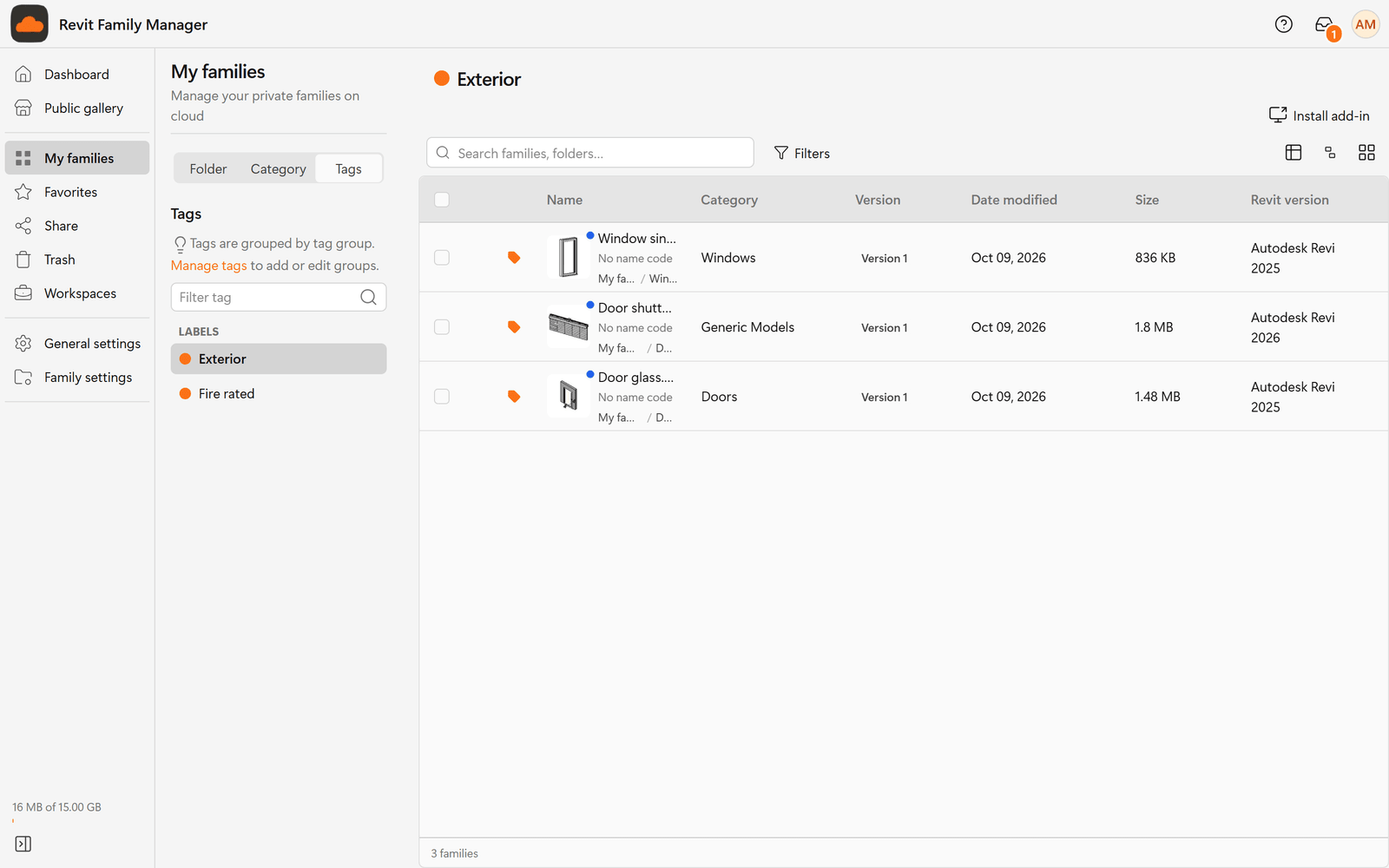
- In My families, switch the side panel to Tags (next to Folder and Category). Choose a tag and the list shows every family and folder that carries it, wherever it sits.
- In Filters, tick one or more tags to narrow a list or a search. See Search and filter.
Tags in a workspace
A workspace has its own tags, separate from yours, managed in the workspace's Settings, Tags.
| Who | Can |
|---|---|
| Workspace owner and admins | Create, rename and delete the workspace's tags. |
| Members with Write access and above | Put tags on families and collections, and take them off. |
In a workspace you can tag several families or folders at once, and adding a tag keeps the tags they already have. See Workspaces and roles.